
Your band, in the browser
A browser-based auto-arranger: type in a chord chart, pick a style, and get an instant backing track you can transpose, mix, play through an external MIDI device and export as MIDI.
Chords in, a band out
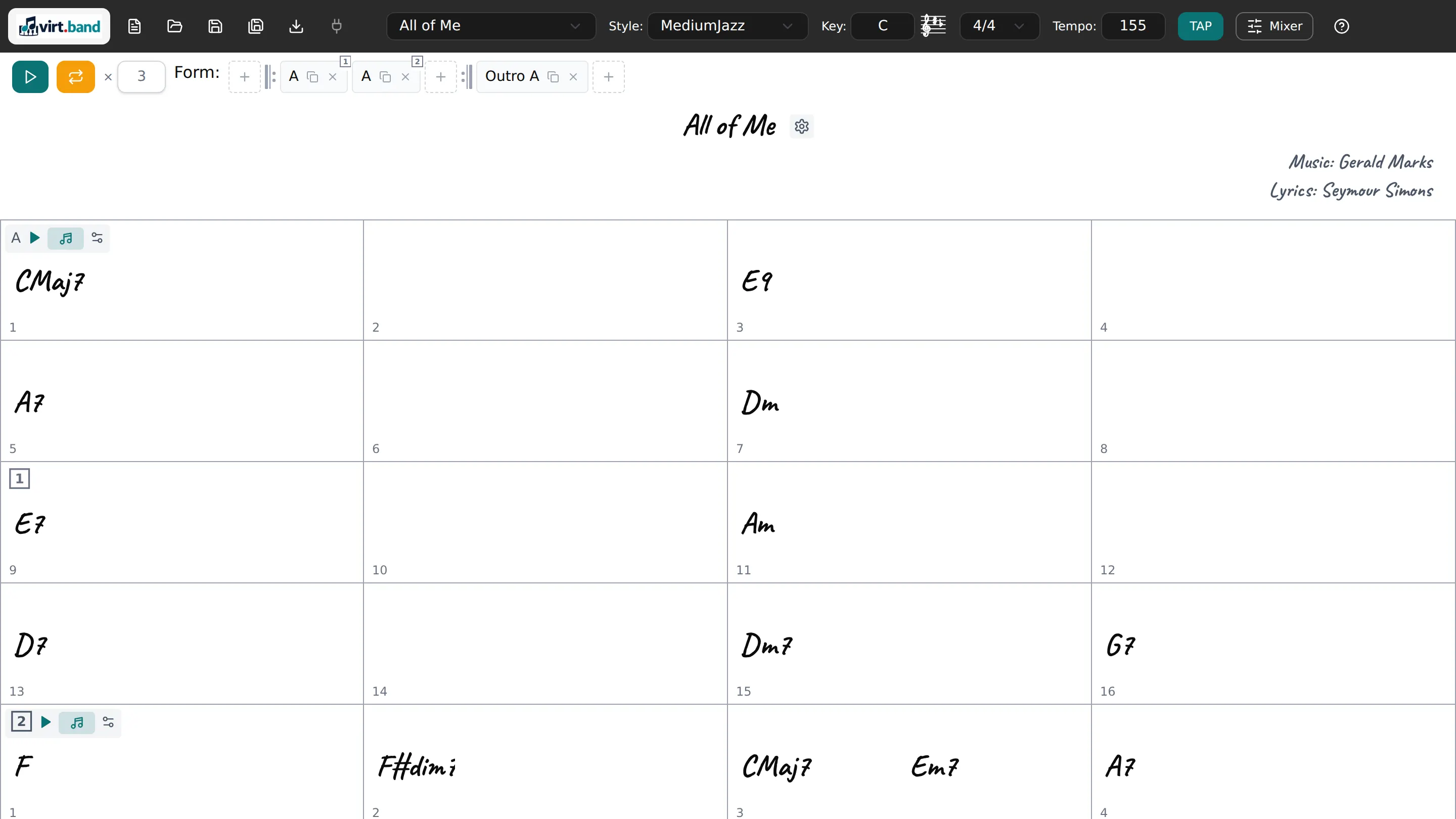
Write the song as a chord chart in a compact shorthand — slash chords such as Am/C included — and lay it out in sections with repeats, first and second endings and codas, so the sheet follows the real form of the tune. Pick a style and the drums, bass, piano and guitar are arranged across that form. The whole song moves to another key from a circle of fifths that shows the key signature as you go.
A mixer for the whole band
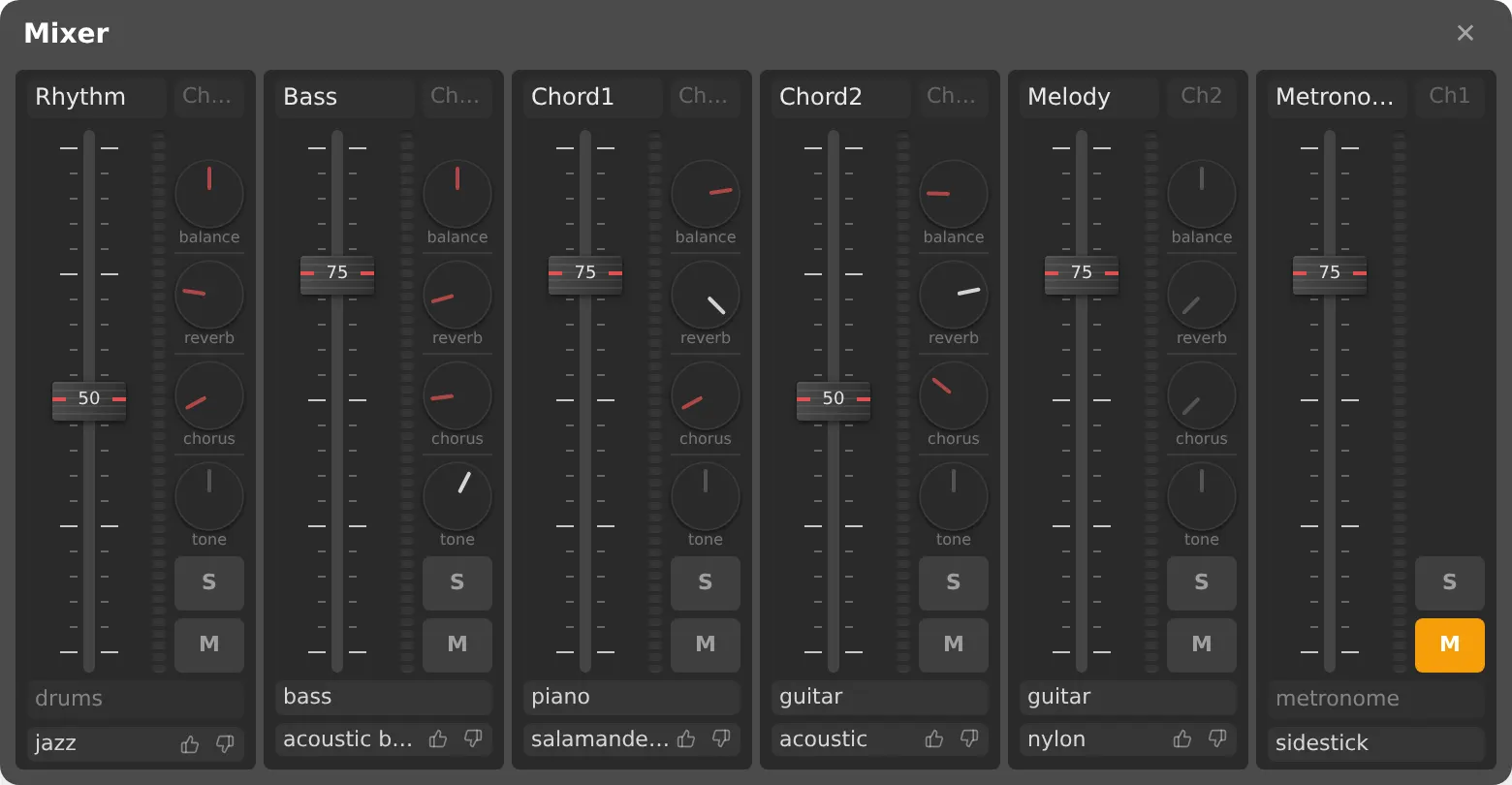
Every channel has its own level, pan, reverb, chorus and tone, and an instrument you can swap while the music keeps playing — audition another piano or bass without stopping. What you set is kept in the track together with the instrument banks you picked, so the song sounds the same when you open it again.
Write the melody too
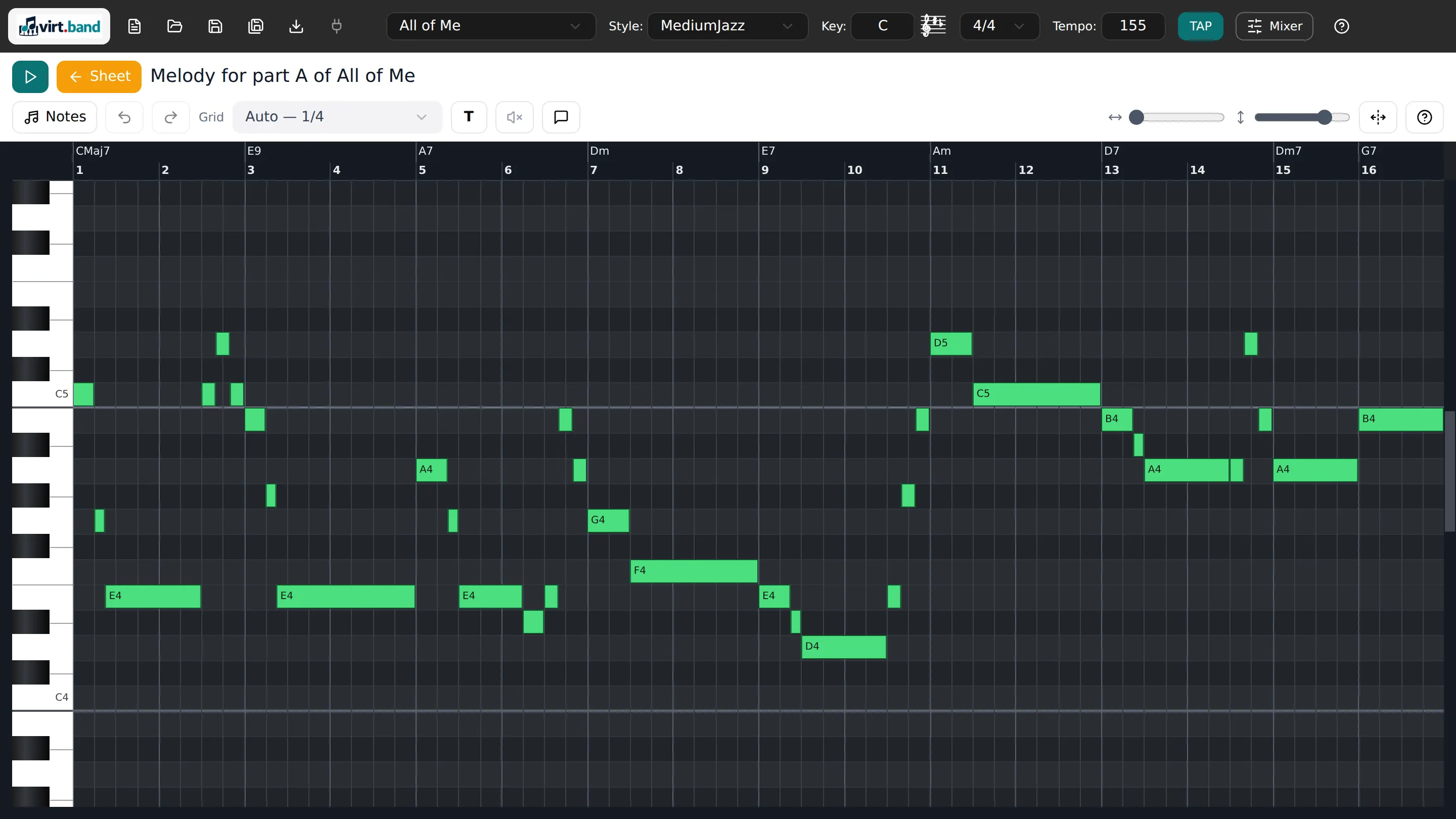
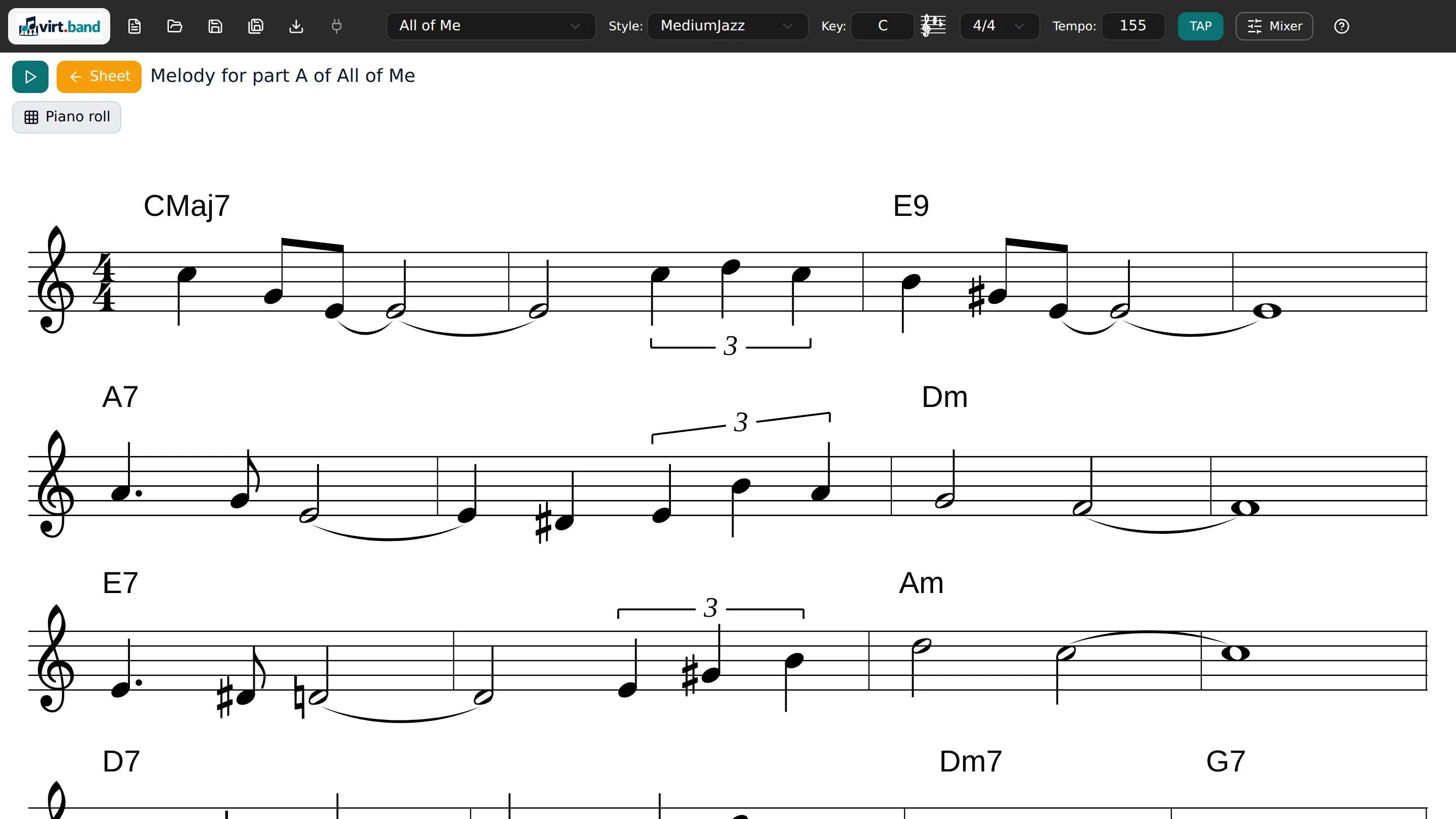
A piano roll and a notation view show the same part, and the notes are edited in either one: triplets, rests, beamed eighths, copy and paste, and a playhead that shows where the music has got to. The name of a note is read from the chord under it and the key of the piece, and where it can go two ways you choose yourself — F sharp or G flat.
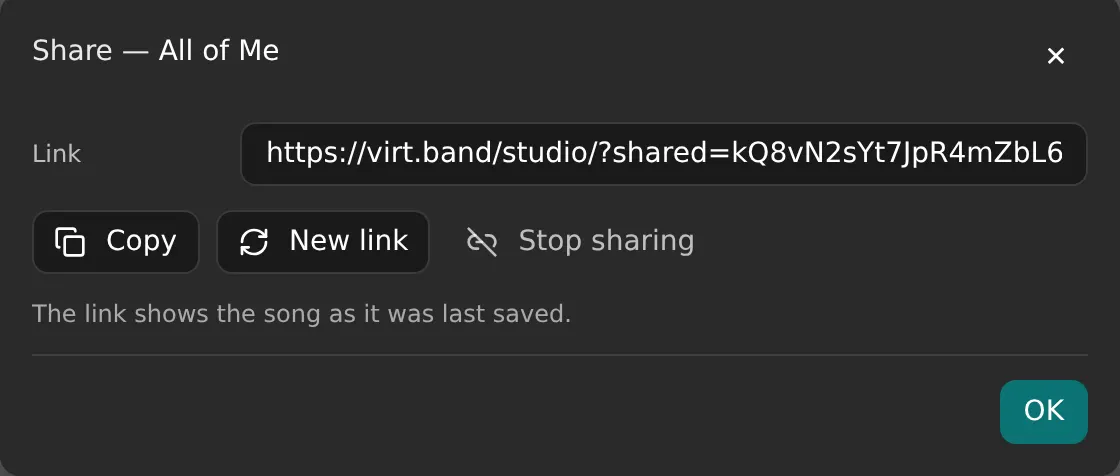
Hand it to someone by a link
A song of your own is shared by a link, and whoever opens it hears the whole arrangement — the style, the mixer, the melody, the way you left it. If they save it, a copy goes into their own account and yours is left as it is. The link can be made again or taken away at any time.
Or play it through your own gear
VirtBand can drive a MIDI port instead of its own sampler, so the arrangement plays through Logic Pro, MainStage or any other DAW on your machine, with your sounds. And the song exports as a MIDI file, to be finished as a full arrangement in a DAW or a notation program.
Songs people publish, yours among them
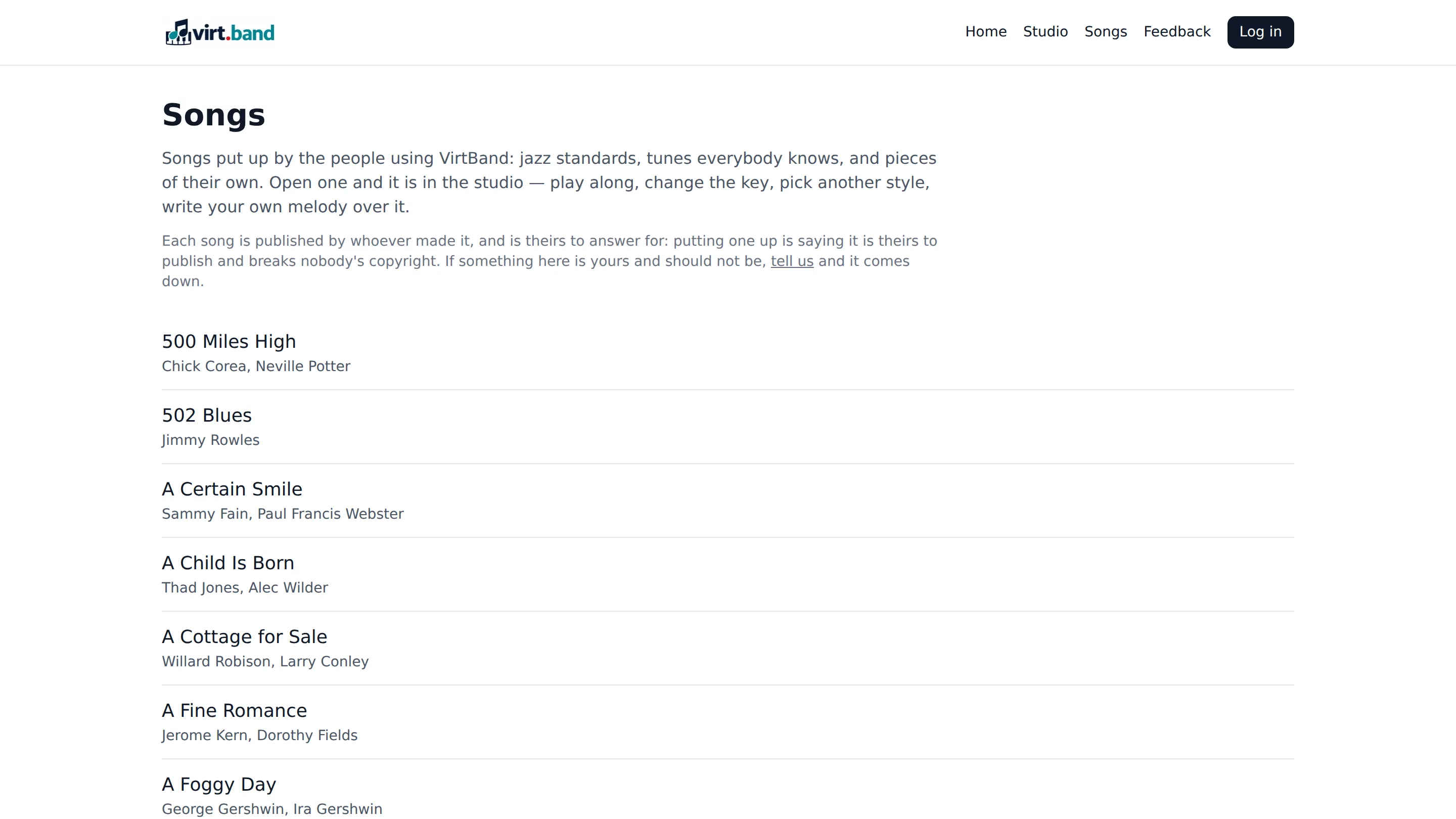
The songs standing on the site are made here, by the people using it: a jazz standard, a tune everybody knows, or a piece of their own. Open any of them and you are in the studio: play along, change the key, pick another style, write your own melody over it. Save it and the copy is yours, while the song it came from stays as its author left it — and a song of your own can go into the library the same way.
Everything it does
- Auto-accompaniment
- Type a chord chart, pick a style, and get drums, bass, piano and guitar arranged across the song form.
- Chord entry
- Compact shorthand with slash chords such as Am/C; chords and whole bars can be copied, pasted and dragged.
- Song form
- Several sections with repeats, first and second endings, codas and the usual forms like AABA.
- Repeat signs, voltas and codas
- The sheet is written the way music is written, and the repeats are unfolded on playback.
- Transposition
- Move the whole song to any key from a circle of fifths that shows the key signature as you go.
- Built-in instrument banks
- SoundFont banks ship with the app, so playback sounds like a band with nothing extra to download.
- Mixer
- Level, pan, reverb, chorus and tone per channel; instruments can be swapped while the music keeps playing.
- Saved with the song
- The mixer settings and the instrument banks you picked are kept in the track, not only in this browser.
- Melody editor
- A piano roll and a notation view of the same part, with triplets, rests and beams, edited in either view.
- Note spelling
- A note is named from the chord and the key, and where it can go two ways you choose: F sharp or G flat.
- Keyboard-first chord entry
- Move across the bars with the arrow keys, and select, copy and clear without reaching for the mouse.
- Playback follows the chart
- The bar being played is marked and the sheet scrolls itself; a count-in and a metronome are there if you want them.
- External MIDI output
- Drive a MIDI port instead of the built-in sampler, so the arrangement plays through Logic Pro or any other DAW.
- MIDI export
- Export the song as a MIDI file and finish the arrangement in a DAW or notation program.
- Sharing
- Hand a song to someone by a link; whoever opens it can play it and keep a copy of their own.
- A library of songs
- Songs people have published — standards and pieces of their own — open in the studio, to play along with or to build on.
- Nothing to install, no ads
- It runs in the browser, there is nothing to download, and no advertising on the page.
Write a chart and press play
Nothing to install and nothing to set up — the studio opens with an empty sheet, and the band is waiting in it.
Open the studio